
 NAD's documentation does not tell us what specific solution they implement—normally it's a simple matter of reducing the maximum level by a dB or two—but testing it is easy, since you can switch it on and off in the BluOS app. I pulled up a classic recording of Stravinsky's L'histoire du Soldat recorded in 1956 for Westminster Records, with Robert Mandell conducting Ars Nova (an all-star ensemble) and Stanley Drucker and Herbert Sorkin playing the crucial clarinet and violin parts. It's a transfer from two-channel tape to digital (24/96 FLAC High-Definition Tape Transfers HDTT10464). It is brilliant, up-front, in-your-face, and startling. Along with that goes a tendency, depending on your system and ears, for the extreme treble to seem too much and, at times, not as transparent as the rest. I've learned to accept that flaw to delight in all the rest.
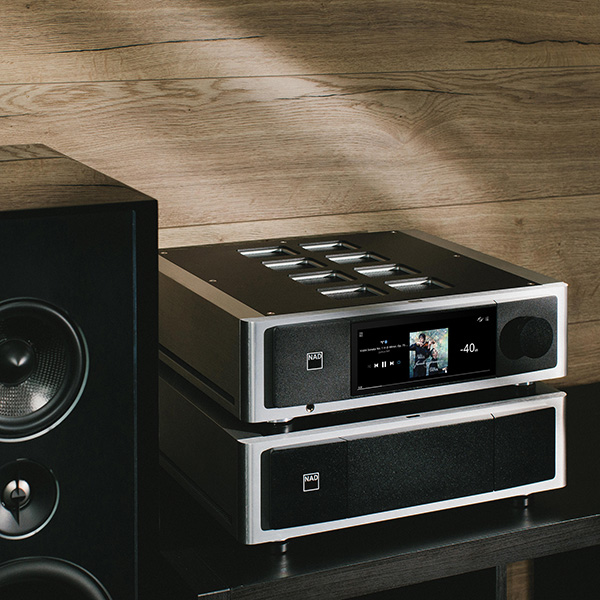
Played by Roon through the M66 and the rest of my system, the recording was as exciting as ever. Was the treble tamed? I didn't know whether DDH was on or not by default, but it turns out it was off. I turned it on mid-play, and there you go: Same great stuff, but all the treble was now as sweet and clear as Herb Sorkin's violin. Cymbal sound was pristine. The trumpet still had its edge, but it was clean. This sold me on DDH.
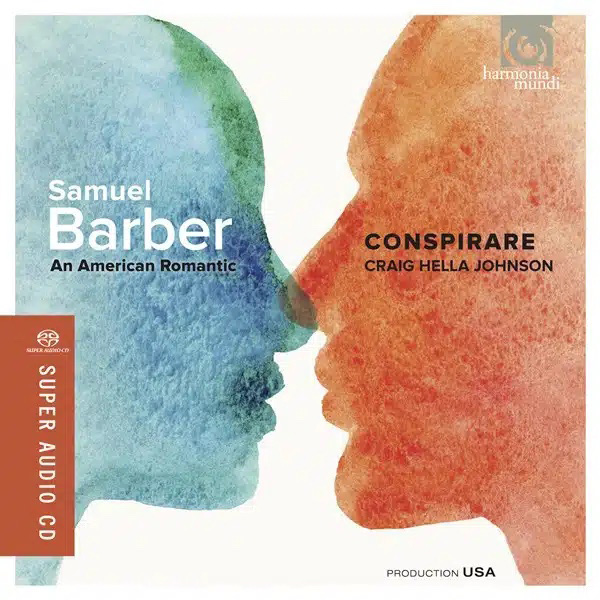
The utility of DDH was also revealed with massed voices and massed brass. It is not uncommon for groups of voices recorded in reverberant spaces, as they often are, to blend too well—for a whole choir to present as a single, opaque voice. Take Samuel Barber's "Twelfth Night" as sung by Conspirare directed by Craig Hella Johnson (An American Romantic, Harmonia Mundi HMU807522, SACD rip). The singing is faultless, but switching in DDH revealed greater texture in all the voices, indicating that in removing some distortion, resolution is improved. The same can be observed with "The Americus Brass Band Pays Tribute to James Reese Europe's Harlem Hellfighters Band" (Cambria Master Recordings CD-1263 CD rip).
NAD's documentation does not tell us what specific solution they implement—normally it's a simple matter of reducing the maximum level by a dB or two—but testing it is easy, since you can switch it on and off in the BluOS app. I pulled up a classic recording of Stravinsky's L'histoire du Soldat recorded in 1956 for Westminster Records, with Robert Mandell conducting Ars Nova (an all-star ensemble) and Stanley Drucker and Herbert Sorkin playing the crucial clarinet and violin parts. It's a transfer from two-channel tape to digital (24/96 FLAC High-Definition Tape Transfers HDTT10464). It is brilliant, up-front, in-your-face, and startling. Along with that goes a tendency, depending on your system and ears, for the extreme treble to seem too much and, at times, not as transparent as the rest. I've learned to accept that flaw to delight in all the rest.
Played by Roon through the M66 and the rest of my system, the recording was as exciting as ever. Was the treble tamed? I didn't know whether DDH was on or not by default, but it turns out it was off. I turned it on mid-play, and there you go: Same great stuff, but all the treble was now as sweet and clear as Herb Sorkin's violin. Cymbal sound was pristine. The trumpet still had its edge, but it was clean. This sold me on DDH.
The utility of DDH was also revealed with massed voices and massed brass. It is not uncommon for groups of voices recorded in reverberant spaces, as they often are, to blend too well—for a whole choir to present as a single, opaque voice. Take Samuel Barber's "Twelfth Night" as sung by Conspirare directed by Craig Hella Johnson (An American Romantic, Harmonia Mundi HMU807522, SACD rip). The singing is faultless, but switching in DDH revealed greater texture in all the voices, indicating that in removing some distortion, resolution is improved. The same can be observed with "The Americus Brass Band Pays Tribute to James Reese Europe's Harlem Hellfighters Band" (Cambria Master Recordings CD-1263 CD rip).
 Why add subs?
Since my apartment renovation, I have been less than completely satisfied with the midbass and upper-bass performance of the KEF Blade Two Metas in the renovated space. They measure okay, but there is a slight leanness between the excellent low end and the clear and present midrange and treble. The M66 supports up to four subwoofers and includes a full-bandwidth license for Dirac Live Bass Control that can optimize low-frequency in-room response with multiple subs. Adding the subs and DLBC seemed the obvious next step, not to extend the low end but to achieve a more linear in-room response. But which subs? Paired with the full-range KEF Blade Twos, the KEF KC92s fit the bill aesthetically and functionally better than more massive subs. (My review of the KC92 will appear in the January 2025 issue of Stereophile.) The M66 (via the BluOS app) supports up to four subwoofers and allows you to set the crossover frequency from 40Hz to 200Hz; no control is provided for level or crossover slope, although the former can be accomplished with the level control on the subwoofers themselves.
 Time for Dirac
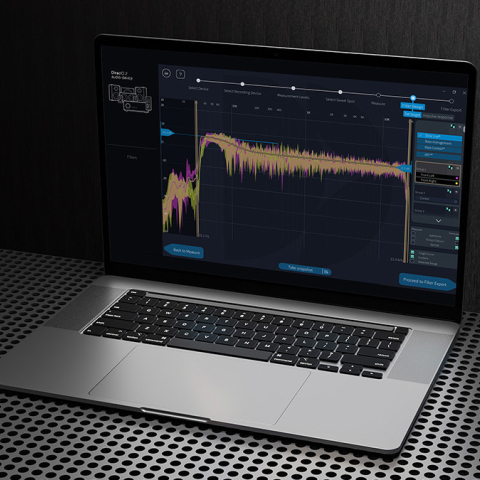
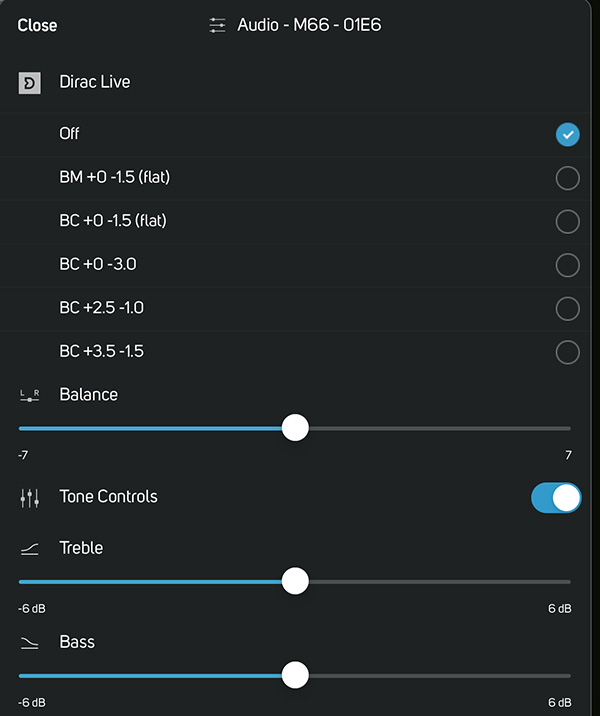
The M66 comes with a USB microphone and is fully equipped for Dirac Live Bass Control. To run Dirac, one need only open a free online account at Dirac and download the appropriate app for your LAN- or Wi-Fi–connected PC, Mac, Apple, or Android device. Connect the microphone (footnote 8) to the M66's USB port and open the app; it will locate the M66 and guide you through the setup procedure. This went smoothly, but then I've done it before, and I was only setting up two main speakers and two subwoofers—much simpler than setting up my multichannel system. If this is your first time, read and follow all the help notes as you go and be scrupulous in making measurements. Along with an appropriate target curve, a good set of measurements is essential for developing an effective correction filter. This procedure often requires experimentation even for veterans. Listen to familiar music with your new filters and experiment. Create new filters (using the same measurement set) based on your experience and keep working at it until you're completely satisfied.
Comparison with my reference configuration suggests that the M66, even with DDH, seems marginally less detailed than what I experience with the Merging Hapi feeding the amplifiers directly. I might prefer one or the other depending on the program material. The suave simplicity of the Grimm MU2, which I reviewed in August, is an entirely different experience and does not compete with the M66's wide feature set. The M66's most obvious competitor is its stablemate, the M33. Aside from the inclusion of an excellent power amplifier, the earlier device lacks DDH (which rapidly became essential to me) and is functionally less capable. Downsides? I didn't like the remote control, but using the app with a tablet or smartphone or even a desktop PC was a breeze. NAD's energy-saving sleep mode puts the M66 into standby after only 15 minutes with no audio signal; I found that too short. The only alternative is to turn it off, so I did. Occasionally, the M66 spontaneously woke up from standby for no apparent reason, then 15 minutes later went back to sleep. Finally, I had hoped to connect a disc player via HDMI; when it didn't work, NAD support confirmed that "The HDMI connection on the M66 is designed to be used with the output of a TV only." So beyond basic CD, which you can connect by S/PDIF, etc., the only way to connect a silver disc source—an SACD player, say—is to an analog input. None of these slight annoyances would prevent me from buying an M66 if it fit my needs.
 Conclusions
It is hard to think that any user would exhaust the M66's options. As an analog preamp, as a digital "preamp," as a DAC, as a room-correction tool, as a Roon endpoint or BluOS-based streamer, its functional and sonic performance is outstanding, and it seems optimal with all sources (though I didn't try the phono inputs). The learning curve was relatively short, and as I learned to use it, I found it easy to use despite its extraordinary range of functions. The NAD M66 is a tour de force!
Footnote 7: These basic adjustments are available only with Analog Direct bypassed. If one invokes Analog Direct, these are lost, as is the HP filter for the main speakers. Nonetheless, there is LF content sent to the subs. Footnote 8: You can download the mike calibration file from NAD. You also have the option to connect the provided mike to a PC or Mac, as I did, or to use your own calibrated mike.