 The experience
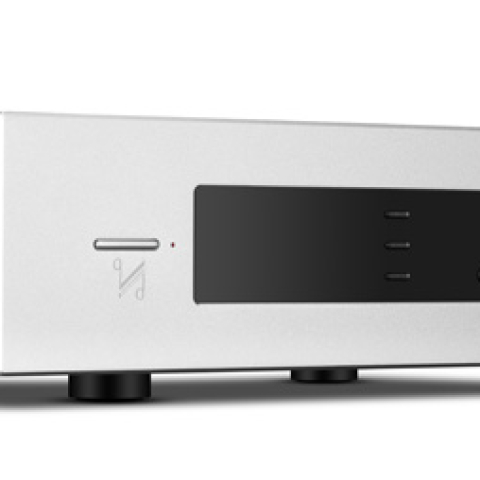
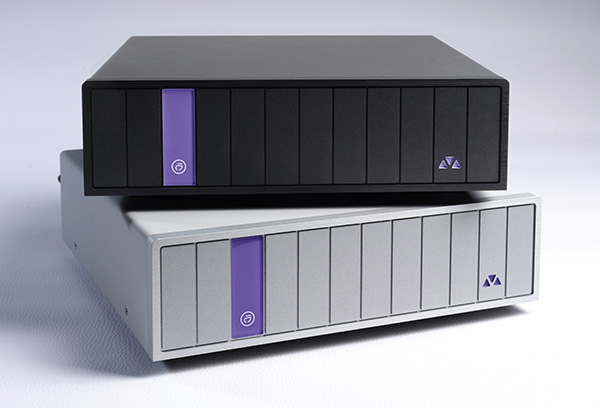
The DSAS is an audio streaming appliance that's easy to configure and brings the full power of Audirvāna to your audio system. It works as advertised.
As mentioned previously, of all the computer-based streamer-server software out there, Audirvāna is widely thought to have the best sound quality. That is Audirvāna's pitch, and it's the reason Métronome decided to embrace it. Much like several brand-specific systems, it is architected to do all the digital-end things that are thought to improve sonic quality. In particular, Audirvāna operates connected DACs in exclusive mode, buffers music data in memory to reduce any read/write electrical noise, and operates at the lowest computational levels (another effort to reduce computational noise). Many think upsampling improves sonics, and with Audirvāna you have a choice of upsampling multiples and algorithms. For music recorded and stored at rates too high for your DAC to handle, the same algorithms are used to downsample that data before it is sent to the DAC.
Version 3 of Audirvāna Studio is a mature platform, though it isn't perfect. Allegro is easy to use and powerful, and it looks great. Like most other systems, it has some idiosyncrasies and can occasionally feel unfinished.
Longtime users of Audirvāna know that the display on the Remote is a bit different from the display on the computer. The Remote app is the same and looks the same whether you are running Audirvāna on the DSAS or a PC—save for unavailable features like VST or Audio Units plug-ins. The Home screen shows all your sources as small buttons along the top: local files, your streaming services one by one, internet radio, podcasts. In landscape view on a tablet, there's a panel on the left that also lists sources, plus search; the left-column list can be reordered, but that's the only part of the layout that can.
Immediately below the buttons is a track-by-track playback history, with album-cover images, ordered left to right. Below that is a list of local files, below that your streaming services: Qobuz first, then Tidal, and so on. Below that are a series of "Tailored for you" rows derived from the streaming services. Their precise function varies with the streaming service: "Tailored for you—Qobuz" displays recently released albums on Qobuz; "Tailored for you—Presto Music" leads with Presto Music playlists. Below "Tailored" comes internet radio (labeled, simply, "Radios"), then Podcasts.
Click on Radios and you see the beginning of a long list of station icons with headers above to help filter and sort: Local, High Quality, Genre, Location, Language. Find a radio station you like and click on the heart to favorite it; it will show up on your Favorites page, with a link to the page in the left column. Podcasts works the same way, but when you click on the three dots below a podcast or radio station, it prompts you to "Play All," "Play Album Next," or "Add Album to Play Queue." A radio station, of course, is not an album. This is one of those things that seems unfinished; it's a small annoyance that should be easy to fix, and it should be fixed promptly.
Underneath the Podcasts header are images of six continents—there's no Antarctica—with their names underneath; click on a continent to bring up a list of countries; click on a country to bring up either podcasts or a list of states, then, possibly, cities. More usefully, once you're on the Podcasts page, there's also a tab to filter "By Language."
The search function is
almost comprehensive. A search is clearly intended to show results from all sources on one screen, but currently it only incorporates one streaming service; if you subscribe to two, only one will be searched (footnote 7). Tapping the search box also shows previous searches, which is handy.
In the standard display mode, the playing track shows as a small icon on the bottom left, but tapping on it brings it to full screen—which displays the first special feature of Audirvāna: Audio Scan. This feature analyzes the entire audio track, displaying the frequency spectrum, bandwidth, bit depth, and other parameters (footnote 8). It works with both local and streamed files, as long as they are PCM. It does
not work with DSD files, and for MQA files, it can only analyze the PCM output after the first unfold. Rendering is DAC dependent.
The display of album liner notes is supported, when liner notes are available: An icon at the top right of the album display shows when a PDF file is present in the directory. Tapping it shows the contents of this file.
Earlier I mentioned DSP. Some of the DSP features work in real time, allowing you to hear the effects as you change the settings. If you want your DSP settings to apply to DSD files, there's a way to do that: Just tell Audirvāna that your DAC doesn't do DSD. Audirvāna will then transcode to PCM and apply DSP.
I already mentioned that you can't (yet) edit metadata on the DSAS—but Audirvāna can retrieve missing metadata from MusicBrainz and save it into the files themselves if you so desire.
Comparing Audirvāna to Roon is interesting. Roon was released in mid-2015, so it makes sense that it provides the most complete and polished user experience I have had. It offers some features essential to managing my music library.
One such feature is album groupings: I keep several local versions of favorite albums, and Roon can differentiate them and group them together into a set and assign a "primary version," which plays by default when the album is selected. Audirvāna often merges albums with the same name into a single album with duplicate tracks. Currently the only way to prevent this is to give the different album versions different names, which, in fairness, is a reasonable way to track their differences.
Roon also handles classical music well. In particular, it can group together movements of larger works, acknowledging them as part of a larger composition. Audirvāna has some facility to do this, but the metadata required is not exposed, and it wasn't obvious how to make it work consistently (footnote 9).
 Sound quality
As already mentioned, Audirvāna was designed from the start with sound quality at its core, using bit-perfect playback, a connection to the DAC that's as direct as possible, smart upsampling, and an approach intended to keep computational noise as low as possible.
And it works. Since I first used it, Audirvāna has delivered the best sound I've heard on my Mac computers. However, stepping into the realm of dedicated music servers subjects it to stiffer competition. It now needs to measure up to dedicated offerings from Aurender, Innuos, and other high-end streamer-server manufacturers.
If I had to describe the sound of the DSAS in a few words, the words would be "free," "relaxed," and "dimensional." Tsuyoshi Yamamoto Trio's "Midnight Sugar," from their album of the same name (DSD rip from SACD, First Impression Music; also available on CD from Three Blind Mice) sounded clear and present, with beautiful piano tone. Astor Piazzolla's "Libertango," from the album
Misa Tango (16/44.1 FLAC, Deutsche Grammophon/Qobuz), goes from nuanced piano to orchestral crescendo with a pleasing combination of ease and power.
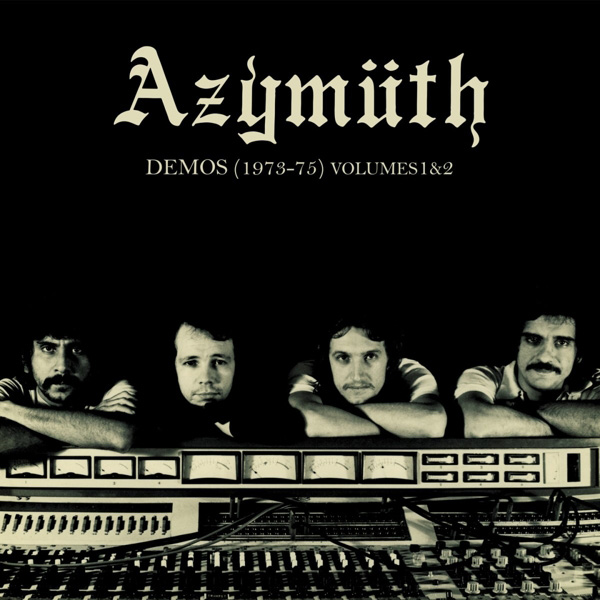
Compared to Audirvāna on a Mac mini, the sound over the DSAS is more dimensional—it extends in all directions—and relaxed. The Mac mini sounds more closed-in and less tonally rich. One track that made this clear was Azymuth's "Bateria do Mamão" from their album
Demos (1973–75) Volumes 1&2 (16/44.1 FLAC, Far Out Recordings/Qobuz). This drum track has deep layering of each component of the drum set; the cymbals float above while the bass drum is recessed in the center. The DSAS portrayed this layering effortlessly and expansively. The Mac mini sounded more constrained.
This and much else will likely depend on which DAC is used. Some DACs are wired for optimal sound from USB; others prefer other inputs. My
dCS Rossini APEX uses a standard XMOS receiver chip in its USB implementation, while other DACs implement galvanic isolation. This is likely to affect the sound extracted from the DSAS, so, if you do similar comparisons, your mileage may vary.
Comparing Roon playback directly to the dCS Rossini over RAAT (footnote 10) versus the same files from the DSAS over USB, I heard a slight muddiness in the Roon version compared to the DSAS.
Next I compared the DSAS with the Aurender N50 ($38,500) that I reviewed in the
May 2026 issue of
Stereophile; note the price differential of nearly a factor of four. The N50 can serve as a Roon endpoint; it can also play music via the Aurender Conductor app. I will focus on the latter, since Conductor and Audirvāna are much more similar experiences, and to me Conductor sounds the best of all sources on the N50.
The USB output of the N50 is a new design by Aurender, and it's an improvement over previous implementations. It is a galvanically isolated and reclocked USB Audio output. Comparing the playback to the DSAS, I found that the sound quality was very close. I'll give the nod to the N50, but the differences are so small that I doubt they'd be noticeable without a direct A/B test. This test, though, compared both servers over USB. The N50's secret weapon is its AES3 outputs, which I found sound much better than its USB output. Aurender over AES3 also sounded much better than the DSAS over USB, but note the price difference.
The last comparison I made was with streaming versus local files. I compared files purchased and downloaded from Qobuz versus the streamed version (on Qobuz) of the same files. I found that the local files were better articulated, with more relaxed and richer tonality. Eva Cassidy's voice on the track "Autumn Leaves," from the album
Live at Blues Alley (24/44.1 FLAC, Blix Street Records/Qobuz), was a prime example. Her voice had a tad more body and color when played locally.
 Conclusion
The result of a successful collaboration between two French firms, Métronome Technologie and Audirvāna, the DSAS shows that there's virtue in a single-purpose machine compared to using a computer as a music source. The quality of the playback and the convenience of the setup make it a compelling solution for those seeking an appliance-like server that is easy to use and sounds great. There are some issues in the software, specifically search across multiple streaming providers, classical music grouping, and some features missing in the Remote app, including metadata editing. These issues will presumably be resolved over time, since Damien and the team are responsive and add new features constantly.
For devoted Audirvāna users who cherish the player's sound quality, this is a way to get even better sound, from a device that, in contrast to a computer, would be right at home in your audio rack. Great stuff.
Footnote 7: I had a similar experience. For me, a search returned results from internet radio, podcasts, local files, and Qobuz, but I saw no results from Presto Music, which specializes in classical.—
Jim Austin
Footnote 8: It would be useful to also see the track's dynamic range, as I find this to be a good indicator of quality.
Footnote 9: I have tried some of the methods described online unsuccessfully.
Footnote 10: RAAT is Roon Advanced Audio Transport—Roon's mechanism to play from the Roon server (aka "Core") to a Roon Ready endpoint over the network. In this case the endpoint is the dCS Rossini APEX.