
To clarify: In Player mode, the N1A assigns an IP address to your network player—you can think of that relationship as a closed mini-network. It's also worth noting that, when the N1A is in Player mode, you can't connect to it from your computer to copy files to the Melco's internal storage because it resides on its own closed mini-network. Melco recommends using the N1A's USB input for that purpose. As I understand it, the benefit of Player mode is to isolate the N1A from network traffic and noise.
Bits and Bolts
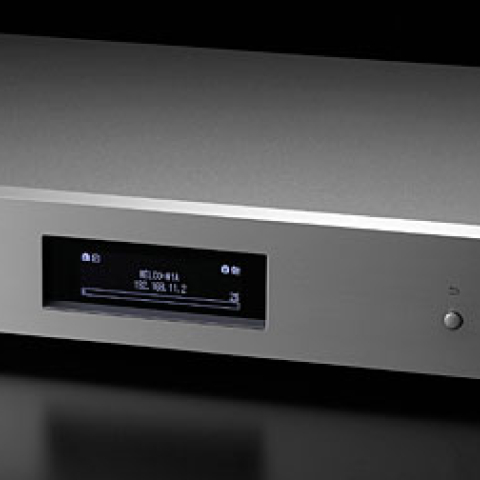
In addition to connecting to a USB DAC, the three rear-panel USB ports offer additional functionality. The port labeled USB 3.0 is for importing music from external USB storage; Expansion is for adding additional USB storage should the N1A's own 4TB not be enough; and Backup is for backing up all your music and configuration data to an external USB storage device. Also on the rear panel is an IEC inlet for the included power cord. On the front panel, from left to right, are: the on/off switch (the boot process takes about 20 seconds); a USB 2.0 port for playing music from a connected USB storage device; an OLED display that shows system and playback data; and four buttons (Back, Enter, Scroll Down, Scroll Up) for accessing the N1A's menu commands, as well as rudimentary playback from internal storage when using a USB DAC. Everything that lights up on the N1A, including the display and LEDs, can be dimmed or shut off.
The N1A runs on Twonky 7 server software, and supports all popular file formats in PCM resolutions up to 32-bit/384kHz, and DSD up to 5.6MHz. (Melco says that DSD playback will be extended to 11.2MHz in the near future.) If your DAC doesn't do DSD, the N1A can convert DSD to PCM via USB, though this option is unavailable via Ethernet streaming. If you want to play DSD files via Ethernet, you need to install the MinimServer software on the N1A. And if you like to dig into the nitty-gritty, a 57-page owner's manual is available from Melco's website.
Melco's efforts to keep noise out of the data path include a separate, isolated power supply for the light-piped LAN ports, which are entirely electrically isolated by ALT Series Pulse Transformers from TDK. Using an NDK ultra-low-jitter clock, the N1A also reclocks all data before sending it on its way. The N1A's rigid metal case measures 17.2" wide by 2.8" high by 13.9" deep and weighs 15.4 lbs. It sits on wooden footers, and its front panel is a nice chunk of aluminum in black or silver. I find the overall look and feel sturdy and workmanlike—a no-nonsense, bottom-of-the-rack look.
Setting up the N1A and getting music into it was a breeze. I keep a backup of my NAS-based music library on a USB drive, so I simply connected that to the Melco and said "OK." Using my iMac, I also dragged and dropped to the N1A new music purchased after that initial transfer. For geographically fortunate customers (footnote 2), Melco's Downloader app allows you to download music you've purchased from highresaudio.com and ototoy.jp directly to the N1A.
The system for this review included my newly acquired Ayre Acoustics AX-5 Twenty integrated amplifier (yeah!) driving a loaner pair of preproduction DeVore Fidelity X speakers. I have music libraries stored on a Synology 412+ NAS and a QNAP HS-210 NAS. DACs and other details divulged below.
The Easy Part
The Melco N1A Buffaloed my combination of MacBook Pro and Synology NAS. It destroyed them, embarrassed them, gave them a good schooling. Music sounded obviously—frighteningly—more refined, more spacious, and more natural through the N1A. End of story. I can't imagine anyone in this universe who does nothing else while listening to music making the same comparison and not hearing this difference. I could torture myself—and you, and everyone else—trying to logically suss out the reasons for this great improvement in sound. Is it X? Or Y? Or XYZ and ABC? To my way of thinking, unless you plan on building your own N1A system, why fret? The proof is in the listening. So I listened to the Melco N1A as a server using a number of DACs, including my reference Auralic Vega ($3499) and the lovely Metrum Acoustics Musette ($1399). The differences remained clear as stated above, regardless of which was converting my bits.
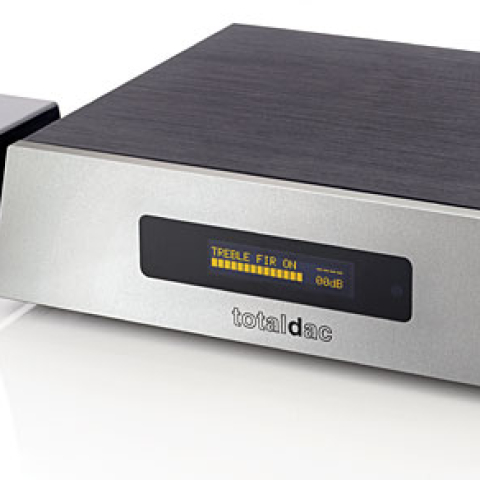
I also used the N1A as a NAS feeding a T+A MP 2000 R network player ($7500), which allowed me to do a few things. I could easily switch from serving up my music via the Melco, a review-sample Antipodes DS server ($2700 with 1TB HDD), and my NAS (Synology or QNAP). In order of sonic preference, the Melco nudged out the Antipodes DS—quite a feat, seeing as the Antipodes is no slouch in terms of sound. Through the Melco, music sounded that much more crisp, refined, and natural. While the Antipodes does things the Melco doesn't (it has an onboard DAC, for one), the Melco costs $1500 less.
The Melco pretty much creamed both of my NASes, too, though not as much as it had my MacBook-NAS. Music opened up more, sang out more truly, let me get into it more deeply. I was sighing to solo violin—I really got into Arthur Grumiaux's recording of J.S. Bach's Sonatas and Partitas for Solo Violin (2 CDs, Philips 438 736)—dancing with Tom Waits and the Birthday Party, grooving to the US Girls' Half Free (CD, 4AD 3520), and getting all down and funky with Fille Qui Mousse. Jazz was jazzier—Cecil McBee and Jacques Coursil sounded more solid, weighty, and lifelike. The Melco N1A stripped away layers of digital's nastier stuff, including harshness, flatness, and unnaturalness. Niceness!
Using the Melco in Player mode with the T+A doing player duties delivered the most appealing sound of all. But—and it's a big but—I can't live without a real graphic user interface. Turning a knob, or tapping Next on a remote, is no way to browse a 1000-plus-album library for this music lover; I could see that kind of behavior leading to some new twitch, like a baseball player waiting for the pitch.
Simply More Musical
I've reviewed a number of music servers, including the Antipodes DX and DS ($6500), the Aurender S10 ($6990) and X100L ($3499), the SOtM sMS-1000SQ ($3000), Digibit's Aria ($6995), and more. It has been my experience that the differences between a stock computer and any of these dedicated servers are varying degrees of improvement of the same aspects of sound: noise floor, dynamics, definition and dimensionality of sound image, microdetail, and, overall, naturalness and degree of engagement (mine). The Melco N1A is the least expensive server of this bunch, yet I find its sound quality on a par with more expensive models, and in the ballpark with the best costing up to $6000. If you're looking for a server that sounds better than any stock computer can and you want to keep things simple, think Melco.
Footnote 2: Highresaudio.com offers an English version of the site; most downloads are available world-wide, but restrictions apply in some locations. Ototoy.jp does not offer an English version.
In addition to connecting to a USB DAC, the three rear-panel USB ports offer additional functionality. The port labeled USB 3.0 is for importing music from external USB storage; Expansion is for adding additional USB storage should the N1A's own 4TB not be enough; and Backup is for backing up all your music and configuration data to an external USB storage device. Also on the rear panel is an IEC inlet for the included power cord. On the front panel, from left to right, are: the on/off switch (the boot process takes about 20 seconds); a USB 2.0 port for playing music from a connected USB storage device; an OLED display that shows system and playback data; and four buttons (Back, Enter, Scroll Down, Scroll Up) for accessing the N1A's menu commands, as well as rudimentary playback from internal storage when using a USB DAC. Everything that lights up on the N1A, including the display and LEDs, can be dimmed or shut off.
The Melco N1A Buffaloed my combination of MacBook Pro and Synology NAS. It destroyed them, embarrassed them, gave them a good schooling. Music sounded obviously—frighteningly—more refined, more spacious, and more natural through the N1A. End of story. I can't imagine anyone in this universe who does nothing else while listening to music making the same comparison and not hearing this difference. I could torture myself—and you, and everyone else—trying to logically suss out the reasons for this great improvement in sound. Is it X? Or Y? Or XYZ and ABC? To my way of thinking, unless you plan on building your own N1A system, why fret? The proof is in the listening. So I listened to the Melco N1A as a server using a number of DACs, including my reference Auralic Vega ($3499) and the lovely Metrum Acoustics Musette ($1399). The differences remained clear as stated above, regardless of which was converting my bits.
I've reviewed a number of music servers, including the Antipodes DX and DS ($6500), the Aurender S10 ($6990) and X100L ($3499), the SOtM sMS-1000SQ ($3000), Digibit's Aria ($6995), and more. It has been my experience that the differences between a stock computer and any of these dedicated servers are varying degrees of improvement of the same aspects of sound: noise floor, dynamics, definition and dimensionality of sound image, microdetail, and, overall, naturalness and degree of engagement (mine). The Melco N1A is the least expensive server of this bunch, yet I find its sound quality on a par with more expensive models, and in the ballpark with the best costing up to $6000. If you're looking for a server that sounds better than any stock computer can and you want to keep things simple, think Melco.
Footnote 2: Highresaudio.com offers an English version of the site; most downloads are available world-wide, but restrictions apply in some locations. Ototoy.jp does not offer an English version.